
Business
From Onboarding to Upskilling: Building Corporate Training That Works


Many corporate training programs are ineffective even before anyone looks at the content. The program might be incredible. But if the room won’t let people get in a circle for a discussion, if the remote half of the team can’t hear the breakout discussion, or if nobody checks in two weeks later to compare notes and best practices, the content’s all for naught.
The environment is infrastructure, not a venue
Most of the time, L&D teams are planning what content they need – which modules, which vendor, which certification path. And we treat the environment as a booking problem – find a room, send a calendar invite, order coffee. But that’s backwards.
The room, the seating, the AV setup, the scheduling cadence, and the reinforcement plan are all load-bearing. A weak version of any one of them caps what the curriculum can deliver, no matter how good the material.
You can build the best onboarding curriculum in the industry and still watch new hires disengage by day three if they’re sitting in fixed lecture seating for six hours with no breaks and no chance to practice what they just heard. Infrastructure sets the ceiling. Content just fills it.
Onboarding and upskilling need different builds
The distinction between onboarding and upskilling is made very clear in the title of this piece. They are different challenges and require different approaches.
Onboarding is high-touch and cohort-based. New hires are anxious, they don’t know the systems yet, and a lot of what they’re absorbing is cultural and relational, not just procedural. It benefits from in-person time, consistent small groups, and a room built for connection – round tables, not rows.
When everything is new and little mistakes feel big, you need people around you who know where you’re coming from and who make you feel safe.
Upskilling looks nothing like that. It’s shorter, more frequent, and usually self-directed. A mid-career employee learning a new tool doesn’t need a three-day cohort experience. They need a short module, a job aid, and maybe an hour of live practice with a facilitator.
Building one generic training space and one generic format for both of these guarantees a compromise. Onboarding ends up feeling rushed and impersonal, and upskilling ends up bloated with ceremony nobody has time for.
Start with a skills taxonomy before you buy anything
Before you reserve a classroom (virtual or otherwise), define what good would look like. Figure out whose results are too low, too slow, or too conflicted. Identify what they’re doing, thinking, or feeling that’s suboptimal.
Then build from there. A skills taxonomy – even a rough one – forces a harder but more useful question: what does a competent person in this role actually do differently from an incompetent one, and what’s the fastest way to close that gap?
Classroom time should be reserved for social learning – analysis, judgment, and design. Discussions, reflections, and simulations around the chosen moments of need. People swimming in the same pool of content, not drowning in the torrent.
The room is where they build tools, and you should build exercises that clearly distinguish use of the tool and skill with the tool. Answering those questions first changes everything downstream – the modality, the group size, the room, the schedule.
Choosing the modality mix deliberately
Once you have determined what it is you’re hoping to teach, the next instructional decision to make is where that learning fits best. The 70-20-10 framework, developed by the Center for Creative Leadership, comes in handy at this step.
Roughly 70% of our learning occurs through job-related experiences and “practice,” 20% through interactions with others or the “social” aspects of work, and 10% through classes and workshops or “formal” training. Use those proportions as a guidepost for thinking about how “natural” you want this learning to feel.
None of these are hard-and-fast rules (the 70-20-10 framework has been widely misinterpreted and extrapolated beyond what it meant to capture). The point is, while you might be designing a training room, there’s less need to design training that happens in a room.
You want to make work-like, human interactions and “learning” the default. That perspective will influence a lot of your design decisions about how to lay out the environment, how to structure individual sessions and daily cadence, and how to put technology to use.
Room configuration is a training decision
Furniture is not a logistics detail. It’s a design choice that determines what kind of learning can happen in the space.
For instance, fixed lecture seating limits facilitators to one-way communication. You won’t be able to organize role-play, fishbowl exercises, or have a small-group debrief with forty bolted chairs in rows facing the podium.
On the other hand, movable tables and chairs can be used for breakout activities, allowing facilitators to reconfigure the arrangement during the session. It also indicates to the participants that this is a working session and not a presentation where they are supposed to sit and listen quietly.
Acoustics play a more important role than many L&D leads consider. Put four breakout groups in an open room with solid walls and no sound treatment, and you are left with competing noise that undermines the purpose of small-group exercises. People will begin to speak louder to be heard, distracting other groups, and the small-group exercise aimed at fostering confidence in a low-pressure environment adds friction instead.
In this scenario, ergonomics becomes a necessity rather than a pleasant attribute. Adults lose interest in activities that last several hours while seated uncomfortably. It’s not a comfort issue, it’s about getting involved – uncomfortable people stop paying attention.
The same applies to accessibility: a clear view of the screen, space for special equipment, availability of materials in various forms, all add up to provide a more inclusive environment. None of these should be optional if the focus is to engage everyone rather than merely give that impression.
Getting this right is largely a matter of building effective workspaces rather than defaulting to whatever furniture happened to be in the room already.
Psychological safety runs through all of this too. Role-play and open feedback only happen when people feel safe being wrong in front of colleagues, and a room that’s cramped, loud, or arranged like a courtroom works against that every time.
Hybrid delivery needs parity, not an afterthought
Distributed teams mean hybrid delivery is the default, not the exception, and most rooms still aren’t built for it. A single camera at the front of the room, pointed at the facilitator, and remote participants are an audience watching a webinar.
They can’t hear side conversations during breakouts, they can’t see what’s written on a whiteboard unless someone thinks to angle a laptop towards it, and they get none of the informal moments where a lot of the actual learning happens.
It doesn’t require a huge budget to fix this. Just deliberate placement: cameras and mics positioned to catch small-group discussion, not just the front of the room; displays that remote learners can actually read; a habit of narrating what’s on a physical whiteboard instead of assuming everyone can see it.
VILT sessions need the same discipline – breakout rooms, polls, and chat prompts that mirror the in-person exercises, so remote learners are doing the work, not just watching it happen.
Facilitators are part of the infrastructure
Bringing in a subject-matter expert to run a session because they know the content is not synonymous with bringing in a good facilitator. Adult learners – per Malcolm Knowles’ work on andragogy – need to know the relevance, the autonomy, and the reason to care about what they’re being taught. Left to their own devices, most SMEs default to lecturing, because that’s what they’ve seen modeled and that’s the path of least resistance.
Training the trainer is as important as training the room. They need coaching on pacing, on how to run a debrief that actually surfaces insight instead of silence, and on how to read a room that’s gone quiet because people are lost, not because they’re taking everything in.
This is cheap to fix relative to everything else on this list, and it’s routinely the piece that gets skipped, because everyone assumes expertise in the subject transfers automatically into expertise in teaching it.
Build in reinforcement, then measure what matters
The failure point in corporate L&D is learning transfer: did training actually change on-the-job behavior? It’s almost entirely a design problem, not a content problem. A single session, no matter how well it ran, fades fast from memory if it’s not used. Manager check-ins, spaced practice, job aids, and short follow-up sessions two or three weeks out are what turns an event memory into a habit.
Build those into the plan from day one, not as an afterthought once the main session ends. Microlearning fits well here: a five-minute refresher a week after the main session will do more for retention than a second long workshop would’ve.
For measurement, the Kirkpatrick model gives a useful ladder. Level one and two, reaction and learning, are easy to capture and great for immediate feedback, but they don’t tell you if anything changed.
At least one level-three measure (observed behavior change) or level-four measure (business results, like reduced errors or faster ramp time) needs to be part of the plan if the infrastructure spend is going to survive the next budget cycle. Cost per learner is easy to calculate and easy to challenge. A behavior-change metric is what actually defends the number.
Building the environment on purpose
None of these suggestions imply that a typical training budget needs to be expanded. It’s all about making the learning environment and content delivery just as intentional as the curriculum itself. Get the taxonomy right, set the modality mix, design a practice room, ensure remote learner parity, coach the facilitators, and implement a strong finish. Then see how your training investments pay off.


A strong team retreat changes how colleagues relate to one another after they return to work. Unfamiliar settings interrupt office routines, reveal overlooked strengths, and create shared memories that last longer than another presentation. The setting alone won’t produce those results, though. Leaders need to choose purposeful activities, set clear expectations, and leave enough room for natural conversation. When those elements work together, an unconventional retreat can improve trust, communication and day-to-day cooperation.
Leaving the Conference Room Behind
Conference rooms tend to preserve familiar roles. The same people lead discussions, quieter employees hold back, and departments remain in their usual groups. A new environment makes those patterns easier to reset.
Formal social events can sometimes carry the same problem. As discussed in this article about why traditional corporate dinners fail your team, a more relaxed setting can give colleagues room to connect without making the experience feel like another work obligation.
Effective corporate retreat activities should give everyone a meaningful way to participate. That could include an outdoor navigation exercise, a guided conservation project, or a group cooking session. Match the physical demands to the whole team and explain the schedule in advance. Include accessible alternatives so employees can take part without disclosing personal medical details. A well-chosen location should support the retreat’s goals while giving people enough downtime to connect informally.
Shared Challenges Foster Real Trust
Trust grows when colleagues see each other solve problems under unfamiliar conditions. During a trail-planning exercise, for example, a junior employee may spot a route that senior leaders missed. That small moment can change whose ideas receive attention back at work.
Personal choice still matters, especially when a retreat includes activities that not everyone will want to try. Colleagues who prefer a separate outdoor experience could consider hog hunting, which can be arranged as a dedicated outing with lodging options for an extended stay. Keep this separate from the official team programme, make participation entirely voluntary, and provide alternative activities so nobody feels pressured to take part.
For the group itself, use low-risk challenges with defined roles, such as building a campsite plan or completing a timed puzzle course. End each activity with a short discussion about communication, decisions, and useful workplace lessons.
Embracing Action-Packed Group Expeditions
An active expedition gives a team a common objective beyond routine deadlines. A guided hike, paddling session, or outdoor problem-solving course can reveal how people share information when plans change. The most useful programs create manageable pressure without turning participation into a test of fitness.
Good team-building retreats also balance structured tasks with open time. A two-day schedule might pair a morning group challenge with a relaxed lunch, a short skills workshop, and an unscheduled evening meal. Assign rotating responsibilities so one employee checks timing, another tracks supplies, and another gathers feedback. Trained guides, weather backup plans, and clear safety briefings should be confirmed before anyone travels.
Measuring the Return on Group Morale
Measure the retreat against a few specific workplace behaviors. Before departure, ask employees to rate communication across departments, comfort with speaking up, and confidence in team support on a simple five-point scale. Repeat the same survey one week later and again after 60 days.
Managers can also track practical signs of change. Look at meeting participation, cross-team project delays, and the number of unresolved handoff problems. A retreat has more value when leaders connect its lessons to regular work, perhaps by keeping rotating roles in weekly meetings or using the same debrief format after major projects.
The most revealing follow-up may be a 30-minute conversation several weeks later. Ask which retreat behavior has carried into daily work and which one has faded. That answer shows where morale has become a working habit instead of a temporary lift.
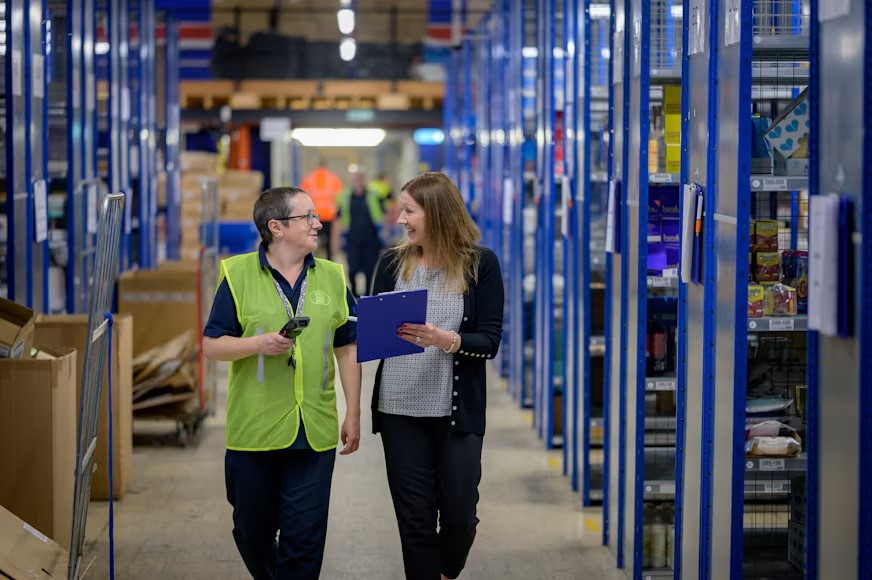
Warehouse fatigue often starts with small mismatches between the task and the person doing it. A shelf sits a few inches too low, a container lacks usable grips, or an awkward load must be moved dozens of times per shift. Each movement may seem harmless, but repetition gives muscles little time to recover.
Practical ergonomic fixes can reduce strain without slowing the operation. The best results come from examining where fatigue develops, adjusting work zones and giving employees consistent handling methods.
The Anatomy of Manual Handling Fatigue
Manual handling fatigue builds when workers repeatedly bend, reach, twist or hold loads away from the body. These positions increase the effort required from the shoulders, lower back and forearms. Static tasks also matter. Holding a carton for 20 seconds while waiting for space on a conveyor can be more tiring than lifting it directly onto a clear surface.
Review warehouse ergonomics guidance and observe real tasks across an entire shift. Look for workers shaking out their hands, stretching between picks or changing technique as they tire. These are early warning signs.
Record the load weight, lift frequency and distance traveled. A light item handled 300 times can create more fatigue than one heavier item moved occasionally. Include pushing and pulling in the review since poorly maintained cart wheels can add substantial effort.
Redesigning Lift Zones Around Worker Height
Place frequently handled goods between roughly knee and shoulder height. This area allows most workers to keep loads close to the torso while limiting deep bending and overhead reaching. Reserve low and high shelves for lighter items or stock that moves less often.
One fixed shelf arrangement won’t suit every employee, so use adjustable packing benches, pallet positioners or height-variable shelving where practical. If a workstation serves multiple shifts, mark common height settings to make adjustment quick. OSHA’s ergonomic hazard controls favor changes to the task and workplace because they address exposure at its source.
Watch reach depth as well as shelf height. A carton at waist level can still strain the back if someone must lean across a wide pallet. Bring the load forward with turntables, flow racks or smaller replenishment batches.
Introducing Uniform Handling Units
Standardized containers make weight, grip and stacking behavior more predictable. When selecting plastic storage containers and storage tubs for commercial, industrial or food handling operations, match each container’s dimensions and capacity to the task. A tub that can hold 30 pounds may routinely be overloaded if staff judge fullness by available space alone.
Set a practical filled-weight limit and display it at the picking point. Handles should allow a neutral wrist position with enough clearance for gloved hands. Smooth, intact edges also reduce the temptation to grip a container from underneath.
Uniform footprints can improve storage density and help workers plan each movement. Stackable units need stable bases, while nesting models can save space when empty. Test samples with the people who handle them daily before changing the entire warehouse.
Daily Habits That Protect Spinal Health
Good equipment works best when daily routines support it. Start shifts with a brief task review that identifies unusual loads, blocked aisles and equipment problems. This gives supervisors time to correct conditions before workers compensate with awkward movements.
Encourage employees to face the destination before lifting and to move their feet during a turn. Loads should stay close to the body, with two-person handling or mechanical assistance used when size blocks a clear view. Short task rotations can also reduce exposure, provided the replacement task uses different muscle groups.
Recovery deserves attention too. Regular breaks allow tired muscles to regain capacity, while early reporting lets teams correct a shelf, wheel or workflow before discomfort becomes an injury. Managers should treat these reports as useful operational data, not complaints.
A weekly walk-through can focus on one picking route from receiving to dispatch. Measure the highest reach, deepest bend and heaviest filled container along that route, then correct the point that creates the most awkward movement. That specific review often reveals a fix that general safety inspections miss.
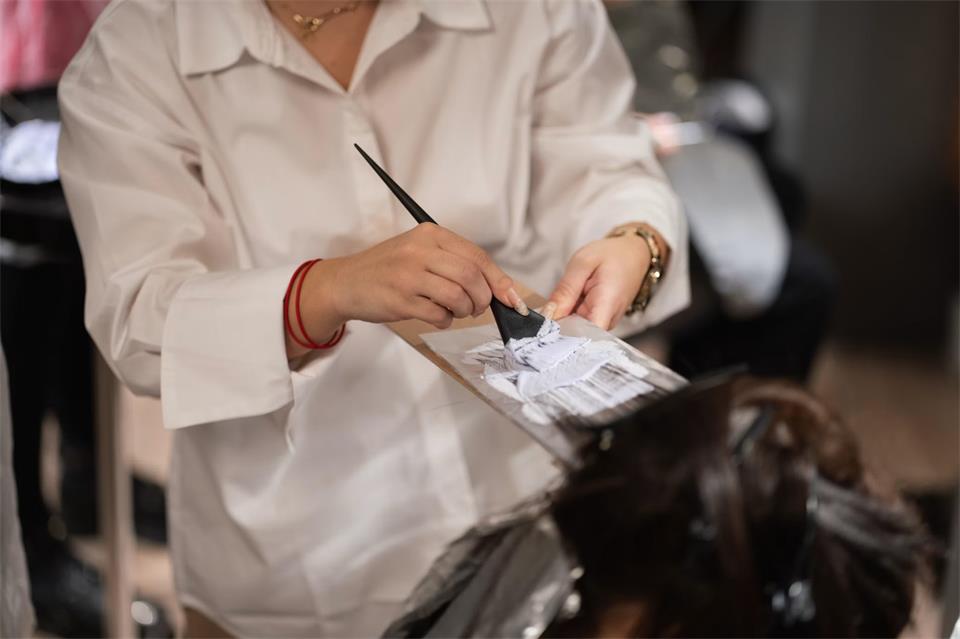
Automation can answer routine questions, schedule appointments, and process payments, yet many careers still depend on personal attention and physical skill. Clients remember how a professional listened, solved a specific problem, and made them feel comfortable. That advantage gives high-touch careers lasting value, especially in fields where trust and visible results shape the customer experience. For people planning their next professional move, service-based work can offer a practical path that combines technical ability with qualities software can’t easily reproduce.
Human Connection Remains Irreplaceable
Technology works best when it supports a relationship instead of replacing one. A hotel guest may check in through an app, but a thoughtful employee still knows how to resolve a room issue without adding stress. The same pattern appears in beauty services, health support, and personal advising. An article about the human side of hospitality explains why empathy and personal recognition continue to shape service quality.
Human connection also extends beyond professional interactions to creative expression. Photography, for example, allows people to communicate emotions, perspectives, and experiences through photography as a form of personal expression.
Trust is equally important in fields built around expertise. Discussions of human-centered financial advice show that clients still value reassurance and context when choices feel complicated. You can strengthen these skills by practicing active listening, repeating a client’s priorities and explaining each recommendation in plain language.
Hands-On Mastery Beats Digital Trends
A tutorial can demonstrate a technique, but it can’t watch your hand position or correct uneven results as you work. High-touch careers often require repetition under supervision, followed by feedback that’s specific enough to improve the next attempt. That process turns information into dependable skill.
Aspiring beauty professionals, for example, need experience with tools, sanitation practices, consultations, and services for different hair types. Structured hairstylist training can teach professional techniques while giving students opportunities to apply what they learn in an on-campus clinic. When comparing training options, look closely at supervised practice, licensure preparation, and the amount of direct instructor feedback. Ask how often students work in realistic service settings, since confidence grows through completed appointments and constructive correction.
Practical Education Built for Longevity
Career education has the greatest long-term value when it teaches principles alongside current methods. Trends change quickly, but core abilities such as accurate assessment, safe work habits, and clear communication remain useful for decades. A stylist who understands shape, texture and color theory can interpret a new look instead of merely copying a video.
Before enrolling in any career program, review its curriculum and compare it with the work expected in entry-level positions. Speak with graduates if possible and ask what their first six months on the job involved. Strong programs should help students build consistent routines, manage time and respond professionally when a service doesn’t go as planned. Those habits matter because employers and clients judge reliability through everyday details, including punctuality, cleanliness, and follow-through.
Adapting to Modern Consumer Preferences
High-touch professionals still need to meet digital expectations. Clients may prefer online booking, text reminders, digital portfolios, and electronic payment, even when the service itself happens face to face. Learning these systems reduces administrative work and gives you more time to focus on the person in front of you.
Keep your online information accurate, including hours, services, and appointment policies. Use clear photos to document your work, request permission before posting a client’s image, and respond to messages within a stated time frame. During appointments, save brief notes about preferences so the next visit feels personal without requiring the client to repeat everything.
The strongest careers will pair efficient tools with attentive service. A scheduling platform may secure the appointment, but careful listening, practiced hands, and consistent follow-up are what bring a client back.

Why Unconventional Retreats Build Stronger Teams

How Architectural Design Can Create a More Productive Executive Home Office

The True Cost of Youth Sports: Balancing Athletic Ambition and Family Finances

Hidden Winter Hazards Lurking in Everyday Homes

How Local Medical Clinics Can Expand Patient Solutions

125 Inspirational Car Quotes and Captions to Celebrate Your New Car

188 Deep Hurt Quotes with Images

148 Romantic Love Quotes for Her from the Heart

164 Relationship Goals Quotes for New Couples Expecting a Long Lasting Relationship

185 Cute Boyfriend Quotes for the Guy You Love
-
 Quotes6 years ago
125 Inspirational Car Quotes and Captions to Celebrate Your New Car
-
Growth6 years ago
188 Deep Hurt Quotes with Images
-
Quotes6 years ago
148 Romantic Love Quotes for Her from the Heart
-
Quotes5 years ago
164 Relationship Goals Quotes for New Couples Expecting a Long Lasting Relationship
-
Quotes6 years ago
185 Cute Boyfriend Quotes for the Guy You Love
-
Quotes6 years ago
141 Best Heart Touching Quotes about Love, Life, and Friendship
-
Quotes5 years ago
134 Time Flies Quotes for the Unforgettable Moments
-
Quotes6 years ago
122 Inspirational Kite Quotes That’ll Make You Wanna Fly Right Now