
Business
Ways to Protect Your Small Business Online


As a small business owner, a security breach can be devasting. Not only can it result in major theft, but it will also cost money to fix. The loss of customer data can also damage your relationships with clients. In an increasingly dangerous online world, how can you stay safe? Below, we give our tips on protecting your small business online.
Hire an Ethical Hacker
Cybercrime is increasing, and with each day that passes, scams are getting more sophisticated. CyberGhost’s study shows that this is now a more profitable crime in the US than the illegal drug trade and is estimated to reach a cost of $10.5 trillion by 2025. This has increased exponentially since the covid pandemic, and in a global recession, when budgets are tight, security can be the first the suffer.
The term ‘hacker’ conjures images of people breaking into your accounts and stealing valuable data. Some people hack your systems for good, finding out where your weaknesses are so that you can protect them. These are known as ethical hackers, who work in different ways. The job can be split into three distinct camps.
Firstly, some will ‘bug bounty hunt’ for you. These people report vulnerabilities to companies for a reward. Others will be hired by an organization to attack a company and see where weaknesses are. The final ones are penetration testers, who will go alone and try to get into a system using simulated attacks. On any occasion, the reports will come back to you, and you can begin to improve defenses. For better online security, Surfshark product provides safe network connection and you may consider using it.
Up Your Password Game

Hackers don’t even need much personal information to crack your password. They can use sophisticated software to crunch it down on their behalf. Thus, the longer and more complex a password is, the less likely it is to be broken. Money Helper advises using numbers, letters, and special characters as well as upper and lowercase. If you have staff, ensure they are adequately briefed on how to do this.
Stay Alert to Phishing Scams
Another area that is becoming more sophisticated is phishing scams. Gone are the days of poorly written emails asking you to transfer money for cash prizes. Phishing scams are so sophisticated that even tech-savvy individuals can fall prey to them. Phishing scams account for around half of all cyber-attacks in the UK.
For those unaware of phishing, it is the process of sending communications to extort information from an individual. Usually, this happens through email and text messages. Fraudsters may pretend to be companies or financial institutions. Once they have the necessary details, they can log into accounts and take what they want.
There are a few ways to spot phishing emails. They may be from different email addresses for the institution they claim to be. Many may still have bad spelling or grammar, though not always. You should check the name of the person sending the email on the company website or LinkedIn to see if they are an actual person working for the company. Finally, anything that asks you to provide bank account details or login codes should be a red flag.
Update and Backup
Updating your system is easy to overlook. If the updates come fast, you may have other things to attend to. Understandably, the downtime may cost you if customers are visiting your website. You must update as quickly as possible.
The reason for this is that not only do updates improve usability, but they also improve security. If weaknesses are found that hackers can exploit, updates are usually done to seal them. Failing to update leaves doors open for people to walk in.
Even with the best security in the world, things may still go wrong. This is why you also need to back up your website. If everything goes down, a quick reboot will see it back to where it was. Backing up is also much easier than you may think. It can be done on external storage or even in the cloud, and most major hosting services like GoDaddy will offer it.
No one is guaranteed to be safe. With these tips, you may do enough to dissuade a would-be hacker and send them on their way, looking for an easier target.
Use the Right Services
Another good thing you can do is make sure you are using the right services. Using payment processing services is a good way to increase your security, especially when dealing with online payments. SAAS payment processing services, for example, can help you to not only scale your business, but to also do so in a way that’s safe and free from risk, allowing you to accept bigger payments online, without putting yourself at risk of being hacked or exploited. You can also outsource other services, such as IT security, if you are concerned about things like this.


Digital asset businesses face growing pressure to prove that every transaction is recorded, reconciled and reported accurately. As operations expand across networks, wallets and legal jurisdictions, spreadsheets and disconnected systems become harder to control. Compliance therefore needs to develop alongside the business.
A clear operating model, supported by reliable data and automated checks, can reduce reporting delays while giving directors, auditors and commercial partners greater confidence in the organisation’s financial records.
The Evolving Regulatory Landscape
Rules for digital assets continue to develop at different speeds across major markets. Regulators are examining asset classification, custody arrangements, transaction reporting and the controls businesses use to protect financial data. Recent digital asset enforcement activity also shows how quickly supervisory expectations can affect operating practices.
You should maintain a register of applicable requirements, responsible owners and review dates. For example, a company entering a new jurisdiction should assess local reporting obligations before processing customer transactions there. Broader analysis of digital asset regulation can also help leadership teams identify policy trends that may influence future expansion plans.
Risks of Non-Compliance
Poor compliance creates costs that extend beyond a regulatory penalty. Incomplete transaction histories may delay an audit, while inconsistent asset valuations can produce unreliable management accounts. A missing link between a wallet transfer and its supporting business record may require hours of manual investigation.
These problems often emerge during rapid growth. A finance team might reconcile 500 monthly transactions without difficulty, then struggle when activity rises to 20,000 transactions across several networks. Set clear standards for transaction ownership, valuation methods, approval evidence and record retention before volumes increase. Regular control testing can then identify missing data or unexplained balances early enough for staff to correct them.
Automating Compliance for Efficiency
Automation helps finance teams apply consistent controls across large transaction volumes. Crypto accounting software can help digital asset businesses automate accounting, streamline reconciliation, prepare audit reports and manage financial data across more than 220 supported networks.
Start with repetitive processes that consume significant staff time. These may include importing wallet activity, matching transfers between company-controlled addresses and flagging transactions with missing classifications.
Human review remains necessary for exceptions, unusual valuations and policy decisions, but automated workflows can direct staff towards the records that genuinely need attention. Keep an audit trail showing when data entered the system, what checks took place and who approved each correction.
Building Trust in the Digital Economy
Reliable compliance records give external parties evidence that a business controls its financial operations. Investors can assess reported performance more confidently, auditors can trace balances to source transactions, and banking partners can review how funds move through the organisation. This evidence can shorten due diligence when the company seeks funding or enters a commercial partnership.
Trust also depends on internal consistency. Finance, legal and operations teams should use the same definitions for transaction types, ownership and reporting status. Schedule periodic reviews in which these teams examine a sample of records from initiation through to final reporting. Any disagreement should lead to a documented policy update, staff guidance and a follow-up test.
Strategic Advantage of Proactive Compliance
A proactive programme prepares the business for regulatory change without forcing teams into repeated emergency projects. It also supports expansion because leaders can see which markets, products and transaction types require extra controls before approving investment.
Treat compliance technology as part of wider operational planning. Guidance on digital readiness and future-proofing explains why systems, processes and staff capabilities need to develop together. Assign ownership of each control, measure unresolved exceptions and track the time required to close reporting periods. Those figures reveal where poor data or manual work is slowing growth.
The strongest next step is to test one complete reporting cycle. Trace transactions from their original network records through reconciliation, approval and financial reporting, then document every gap. That exercise produces a practical improvement plan grounded in the way your digital asset operation actually works.

Employee well-being has become a practical workforce strategy, affecting attendance, retention, and day-to-day performance. People do their best work when they have enough energy, feel supported, and can access help before a manageable concern becomes a serious problem.
For employers, that means looking beyond occasional wellness events and building support into everyday operations. A thoughtful approach can strengthen productivity today while helping the organization adapt to an aging workforce, changing employee expectations and new ways of working.
Why Employee Well-being Matters
Well-being influences how employees focus, communicate, and respond to pressure. Gallup’s work on employee well-being connects it with engagement, performance and other business outcomes. A person dealing with poor sleep, ongoing stress or an untreated health concern may need more time to complete routine tasks and may be more likely to miss work.
Managers should watch for patterns across teams without trying to diagnose individuals. Rising absences, frequent mistakes, and missed deadlines can signal problems with workload or support. Regular check-ins give employees a safe place to raise concerns before those concerns affect an entire project.
Beyond Basic Benefits
Health coverage and paid time off provide a foundation, but employees also need services they can use easily. A strong program may include flexible scheduling, mental health support, ergonomic reviews, and access to preventive screenings. Current thinking on workplace well-being strategy also emphasizes coordinated support over isolated perks.
Offer options that reflect actual workforce needs. Employees who work in noisy environments, notice changes in their hearing, or have concerns about their hearing health may benefit from a free hearing test to assess whether further evaluation is needed. Clear communication about confidentiality can help employees feel more comfortable exploring available services.
Preventative Health for Productivity
Preventive care can address small concerns before they cause avoidable disruption. Screenings, vaccinations, and routine checkups may help employees identify conditions that affect concentration, stamina, or communication. Employers can support these habits without collecting personal medical details.
Make services practical to use. Give employees protected time for appointments, explain available benefits in plain language, and send reminders at appropriate intervals. A warehouse might schedule annual hearing and vision screening information before its busiest season, while an office could offer workstation assessments after a move. Remote employees may need guidance on home-office ergonomics and meeting fatigue. Each option should be voluntary, accessible, and relevant to the work people perform.
Creating a Culture of Care
Policies carry more weight when managers follow them consistently. Employees are unlikely to take restorative time off if leaders send messages late at night or praise people for working while sick. Train supervisors to discuss workload, recognize signs of strain, and direct employees toward qualified resources.
Social connection deserves attention too, especially in hybrid and remote teams. Peer mentoring, small group lunches and volunteer days can build relationships without forcing personal disclosure. The connection between social life and well-being is especially relevant as employees move through different life stages. Give people several ways to participate so quieter team members and distributed staff aren’t excluded.
Measuring Impact and ROI
Set a baseline before expanding your well-being program. Track voluntary participation, absenteeism, turnover, and employee survey results while protecting individual privacy. Operational measures can add context, such as error rates, missed deadlines, or customer complaints. Review the figures by department only when groups are large enough to prevent identification.
Avoid treating participation as proof of success. A popular workshop may have little effect if workloads remain unreasonable. Compare trends over six or 12 months and ask employees which resources they used, what barriers they faced, and what support they still need. The most useful return may appear in fewer unplanned absences, stronger retention and more stable team performance.
A future-ready program grows from repeated evidence, not a crowded menu of perks. When one department reports high fatigue or low access to care, leaders can address that specific gap, measure the result, and use what they learn to guide the next investment.
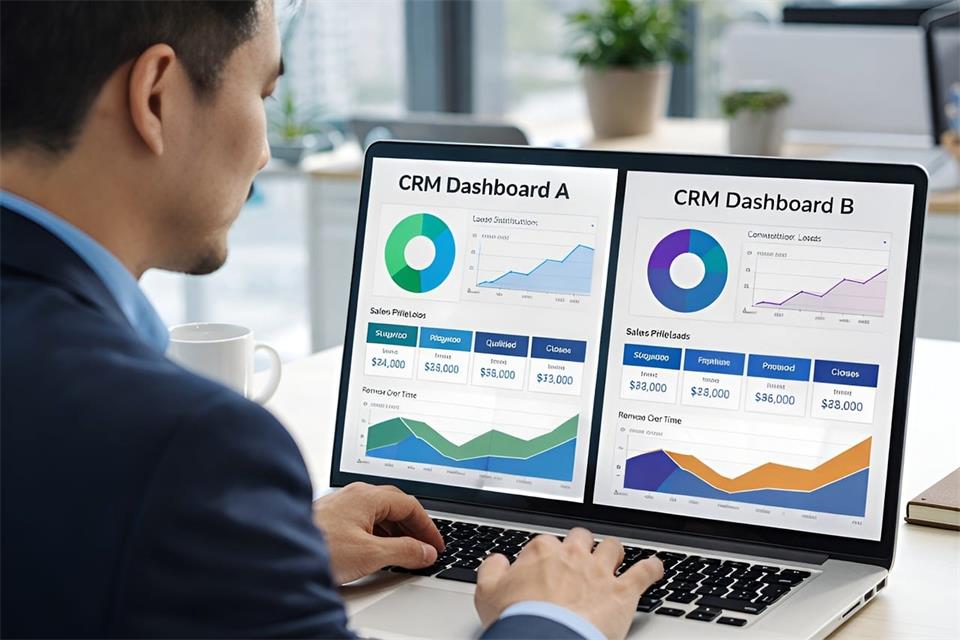
Moving client details out of spreadsheets and into HubSpot can feel like a large project. For an estate agency, the best starting point is a simple record of who has enquired, what they need and what happens next. You can build a useful real estate CRM around that before attempting more advanced features.
Start with contacts and deals
New users often mix up contacts and deals. Contacts are people and deals are transactions.
A contact record holds the person’s details, including their name and phone number. Log calls and notes there to build an activity history. That record stays in place while the same person enquires about different homes over time.
A deal follows a specific opportunity towards its outcome. It could track a buyer’s purchase journey or a seller instruction from valuation to completion. The deal moves through stages while the contact record remains the same.
Link the two every time. When a buyer enquires about a flat, their details belong on the contact and their progress belongs on the deal.
Keep it simple at first.
Don’t create separate pipelines for every possible scenario. One clear setup your team actually uses is better than four clever ones they don’t.
Pick one process to map first
Choose one journey to map before trying to cover both sales and lettings. A sales team could start with the buyer journey, while a lettings team might choose tenant enquiries. The example below uses buyers; adapt it to the work your team handles most often.
Build one pipeline for that journey. Keep the stages short and plain:
- New enquiry
- Qualified
- Viewing arranged
- Offer submitted
- Under offer
- Completion
Then define what each stage means. For example, Qualified could mean you have discussed budget and timeline, while Viewing arranged means a date and time are confirmed. Agree an exit rule for moving between stages: a deal might leave Viewing arranged once the viewing has happened and feedback is recorded. Use your agency’s agreed process for recording an accepted offer, and keep acceptance distinct from exchange and completion.
Delete stages you won’t use. If your team doesn’t do formal qualification, drop it. If exchange and completion are tracked elsewhere, don’t pretend to track them in HubSpot. A short pipeline you trust is better than a long one full of stale deals.
Add a handful of useful fields
Default contact fields won’t cover everything you need for property work. A few custom properties will make searches and lists more relevant to your team.
Start with four or five at most:
- Price range
- Preferred areas
- Mortgage position
- Buyer timeline
- Seller timeline, if you work both sides
Use dropdowns where you can. Free text for areas soon becomes messy, with ten spellings for the same neighbourhood. A tidy dropdown keeps filters and views usable.
Store feedback from individual viewings as notes linked to the relevant deal, rather than overwriting one contact field after every visit. Check your plan’s custom-property allowance before adding fields, and expand only when a recurring need becomes clear.
If putting this first setup together still feels like a lot to take on, a HubSpot partner such as Incremental can help with onboarding and integration setup so you don’t get stuck on the DIY details.
Connect email and keep follow-up manual
HubSpot doesn’t log everything by itself. You choose what to connect, and you should check the logging settings inside HubSpot before relying on them for client work and weekly reviews.
Email and calendar are sensible starting points. Connect a supported inbox so you can send replies from the CRM. HubSpot’s Google and Outlook calendar integrations can log new meetings with existing contacts, but they do not import events created before connection and only sync the user’s primary calendar.
Test a sample viewing invitation and inspect the contact timeline. Check its association with the relevant deal rather than assuming every appointment appears in the right place. Review email logging settings too, especially exclusions for internal or private correspondence.
After a viewing, keep the habit simple. Open the mobile app before you drive off. Add two lines about the client’s reaction and a next task with a date. That routine matters more than any later upgrade.
Manual tasks will carry you at first. Every open deal should have an owner and one task. Without an owner, no one is responsible for chasing it; without a task, the deal drifts.
Automation can wait. It often depends on your subscription and on what else you have connected, so don’t build follow-up around it.
Make this part of your morning routine. Filter for your open deals and set the next step before you close each record. That might mean calling back after a viewing or confirming mortgage documents.
Keep a human owner on each deal. No automatic setting replaces an agent who knows the context.
Test with samples and review weekly
Before you invite the team, test with two or three sample records. Create a buyer and move them from New enquiry to Viewing arranged. Check that fields make sense and that views filter the right people. If something feels clumsy, fix it now while it’s easy to change.
Then review weekly. This doesn’t need to be formal. Pull up the pipeline each Monday and look at where deals are sticking. Are new enquiries getting a first response the same day?
HubSpot won’t replace all your property software. You’ll still need portals for listings and separate tools for contracts and client accounts. Use HubSpot as the relationship record alongside those systems.
Get the simple version live and keep notes tidy. Let the process earn trust. That’s how a general system starts to feel like part of your daily property work.

How Digital Asset Businesses Can Strengthen Compliance and Financial Reporting

How Employee Well-Being Supports Productivity and Long-Term Business Performance

A First-Timer’s Guide to Using HubSpot as a Real Estate CRM

Digital Transformation for Physical Spaces: A New Approach

Digital Readiness: Future-Proofing Your Business Operations

125 Inspirational Car Quotes and Captions to Celebrate Your New Car

188 Deep Hurt Quotes with Images

148 Romantic Love Quotes for Her from the Heart

164 Relationship Goals Quotes for New Couples Expecting a Long Lasting Relationship

185 Cute Boyfriend Quotes for the Guy You Love
-
 Quotes6 years ago
125 Inspirational Car Quotes and Captions to Celebrate Your New Car
-
Growth6 years ago
188 Deep Hurt Quotes with Images
-
Quotes6 years ago
148 Romantic Love Quotes for Her from the Heart
-
Quotes5 years ago
164 Relationship Goals Quotes for New Couples Expecting a Long Lasting Relationship
-
Quotes6 years ago
185 Cute Boyfriend Quotes for the Guy You Love
-
Quotes6 years ago
141 Best Heart Touching Quotes about Love, Life, and Friendship
-
Quotes5 years ago
134 Time Flies Quotes for the Unforgettable Moments
-
Quotes5 years ago
122 Inspirational Kite Quotes That’ll Make You Wanna Fly Right Now