
Tech
10 Simple Tips You Must Know to Ensure Your Personal Cybersecurity


Here, you’ll learn how to protect yourself from cybercrime and stay safe every time you surf the web. Many people overlook the need for personal cybersecurity, and they pay for it dearly. In this post, we’ll teach you how not to be a victim with our top 10 personal cybersecurity tips.
“Why so hard?!” That’s the hacker’s exclamation upon several attempts to crack your cybersecurity. He ran out of ideas after exploiting every known loophole. What he didn’t know was that you didn’t leave any stone unturned in ensuring your online safety.
But how about waking up to discover that you no longer hold control of your online profiles containing sensitive information about you. Cybercriminals were able to take over your online platforms because you didn’t take your cybersecurity seriously.
Deep down within, you’d agree that such a breach would cost you much more than you can presently fathom. However, cybercriminals don’t care! They are battle-ready to invade vulnerable devices. The bitter truth is that a cyberattack can be very risky.
How do you protect yourself from cybercrime, then?
We have good news! If you give heed to the personal cybersecurity tips we’ll be doling out here, you’re sure to have a solid line of defense to repel hackers anytime they strike. Here, we’ll also show you how to improve personal cybersecurity. But firstly, always keep in mind to choose secure network connections. For example, you may consider surfshark vs nord?
Why is Personal Cyber Security So Important?
Before we delve into the tips that will help keep you safe online, let’s take a closer look at some personal cybersecurity statistics. According to a 2017 research by a Clark School study at the University of Maryland, an Internet hack attack occurs every 39 seconds!
To put this in perspective, more recent research by Purplesec suggests that due to the COVID-19 pandemic, cybercrime has increased by 600%. This means that if you’ve only been using security items like Noble or Kensington slots uk to protect your device physically, it’s time to up your game!
You should now seek to improve personal cyber security because hackers are ready to use malicious apps, websites, and networks to access your data. However, if you consider some tips we’ll give below, boom! You’ll see how easy it is to stay safe online.
Let’s dive all in.
Top 10 Personal Cybersecurity Tips
Below are the top tips that will ensure the safety of your cybersecurity and personal data every time you surf the web. They include:
Tip #1: Carry Out Regular System Updates
Technology improves every day. As such, you shouldn’t hold onto outdated systems. One major technique employed by hackers is to exploit leaks in system programs. That is why software providers and personal cybersecurity companies always release updates and security patches to plug their leaks.
Besides, most old programs no longer have support from their software providers. You can only imagine how vulnerable they are to hackers. Therefore, you should carry out that system updates every time it comes up. Also, keep your apps and web browsers up to date.
Besides, you can just turn on auto-update (if it’s available). That saves you the stress of checking every time. To be honest, those updates can be data and time-consuming. But one thing is sure; the benefits outweigh the inconvenience.
Tip #2: Double-Check Every Link before Clicking
We know this might seem strenuous, but it’s not as hard as you think. All you need to do is calm down before clicking links sent as text messages or emails. If you ponder on how to increase personal cybersecurity, this is one tip you shouldn’t joke with.
That’s why you should be careful: hackers can impersonate popular brands and send fake emails and SMS containing malicious links. Clicking on such links could either infect your system or direct you to a site that looks familiar to the real brand. The hacker may then use any important info you drop to access your private data.
This is what phishing or smishing attacks entail. However, careful observation of such emails or SMS would save you the day.
Beyond just scrutinizing individual links, a proactive approach to managing your frequently visited or essential online destinations can significantly enhance your digital safety. In today’s vast digital landscape, users often interact with numerous websites, services, and platforms daily, making it challenging to keep track of legitimate addresses. Establishing a reliable system for organizing these various online access points can not only save time but also reduce the risk of accidentally navigating to fraudulent sites. For those seeking a streamlined method to manage their digital pathways, a comprehensive 주소모음 정리 (address collection organization) can be an invaluable resource, ensuring quick and secure access to your most important online destinations.
Tip #3: Professionally Choose Your Passwords and Ensure Proper Password Management
Your password is your first line of defense against hackers. Therefore, you shouldn’t use regular combinations when choosing one. Using your date of birth or mobile phone number as a password makes it a lot easy for cybercriminals to hack your account.
This does not mean you should get unnecessarily complex pass. What then makes a strong password? First off, your password should have at least eight characters, including at least one lowercase and one uppercase letter. It should also contain symbols(except #&%@).
What’s more?
You should never use the same password twice. That’s against personal cybersecurity best practices. You may wonder, “how then will I remember all the passwords for the ton of accounts I have?” That’s where Password Management Tools like 1Password, LastPass, and Roboform comes in. This personal cybersecurity software and apps help to store all your passwords in one place, and then you can apply a master password for all.
That aside, you should change all your passwords at least once a year. This is another essential piece to ensure personal cybersecurity.
Tip #4: Apply Two-Factor Authentication to Your Accounts
Apps and websites that contain your delicate info often provide two-factor authentication to strengthen security. This is your second line of defense. This way, a password won’t be enough to gain access to your account.
The basics of two-factor authentication is to confirm that you’re the one trying to access your account. Whenever you attempt a login, you’ll receive a text message and an email containing certain strings of numbers or letters. You’ll then have to input them to gain access.
Setting up two-factor authentication on your accounts shouldn’t be a subject of debate. It is indeed a great way to ensure the cybersecurity of personal information.
Tip #5: Avoid Unsecured Network Connections
For what it’s worth, you should be very cautious of connecting to public Wi-Fi networks. Public networks can be easily hacked, and any info you share might be intercepted. Such unsecured networks reduce your level of personal cybersecurity.
If you have to use a public network, connecting using a Virtual Private Network (VPN) is safer. A strong VPN will protect your personal information from leaking out. Nevertheless, staying away from unsecured networks is always a better option.
Tip #6: Backup Your Data in External Storage
What happens when you have to let go of your entire data because of a crash or a cyberattack? Ransomware is a big way hackers make money. They keep your data hostage, and you have to pay to get it back.
Moreover, what if a virus attacks your device, and you have to wipe it clean? To save you from losing your data because of all these, simply backup your important data on cloud or external storage. This way, you’ll have personal cybersecurity insurance.
Tip #7: Use Strong Anti-Virus Software
This is perhaps the most potent response to malicious attacks. Even if you’re extra careful, there’s still a possibility of malware invasion. A strong antivirus is, therefore, one of the best personal cybersecurity software. It is a strong weapon in your personal cybersecurity arsenal.
Besides, a firewall can also serve as a strong defense against cybersecurity breaches. Popular operating systems like Windows and Mac come with their respective firewalls. This will also help keep the bugs out.
Tip #8: Be Cautious When Making Payments Online
You should be very cautious anywhere you have to expose your debit card details to make a payment online. One of the specialties of hackers is to impersonate reputable brands and lure you into dropping delicate information. Although there are platforms that ensure secure payments, you can still never be too careful.
Tip #9: Secure Your Devices Properly
Keeping your mobile and desktop devices secure is another top tip regarding personal cybersecurity. If, unfortunately, cybercriminals lay their hands on your devices, you can only imagine the damage they are capable of doing.
Securing your device involves setting up a strong password, using app locks for sensitive apps, and carrying out regular personal cybersecurity assessments.
Tip #10: Apply Extra Caution When Surfing the Web
It’s easy to move from one site to another when surfing the web. However, you should be cautious of the sites you visit. You may mistakenly land on malicious sites and experience a drive-by download attack.
In such a situation, malware would download itself into your device without you clicking a link on the site. This may happen unknowingly. You’d just find out that your device starts misbehaving. The easy way to prevent this is by exercising caution and looking out for suspicious domain names every time you surf the web.
Wrapping It All Up
Everything we’ve outlined above summarizes that the bulk of personal cybersecurity lies in simple steps. They are things you can start implementing now. So go ahead and start immediately!
Now, we’d like that you also drop your opinions on personal cybersecurity tips and perhaps share your experiences on personal cybersecurity. Is there a question on your mind? Share it, too, in the comment section!

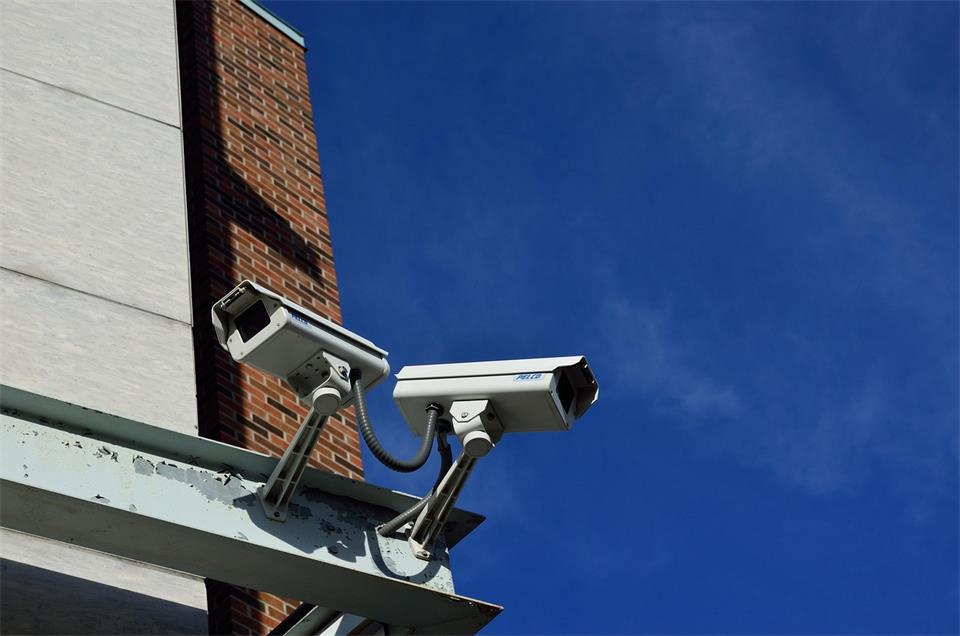
Commercial security has been caught in the gravitational pull of IT for the last few years as more and more analog devices get replaced with internet-connected ones. The much greater nuke-from-orbit approach, rip and replace, as it’s known in the upper echelons of management, is gaining traction for long-term planning.
Analog had a good run, but the cost of piecemeal replacements that come with it as older and older technology enters its dwindling years simply isn’t going to hold up when better, faster, smarter, and more flexible options exist.
Cameras and network video recorders are now computers attached to an ethernet cable that understand a common language. Cameras are applications unto themselves and can be shot through with math to get all kinds of answers to weird questions and solve real-world problems.
Why Legacy Systems Boxed Businesses in
Legacy commercial security systems operated on different platforms that hardly communicated. For instance, analog cameras transferred video via coaxial cables to a DVR unit stored in an obscure space. Access control used an isolated keypad system to electronically connect door locks and card readers. Intruder alarms operated on their circuit.
Every system required exclusive cabling, dedicated hardware, and typically an exclusive supplier. Do you wish to install a camera in the unlit area of a warehouse?
Then you would need to dig trenches for new coax cables and potentially expand the DVR’s channel connectivity while praying that image quality wouldn’t deteriorate over extended cable lengths.
Would you like to install a door which requires a card to unlock? Then you would need to install a new circuit and pray that the access system isn’t already operating at full capacity. There was no cost-effective scalability, and most importantly, the systems couldn’t be integrated.
What IP Convergence Actually Changes
IP-based systems eliminate the separate silos and combine them into one network. For example cameras, access control readers, and often intruder alarms all run on the same infrastructure already used for computers, phones, and Wi-Fi.
Instead of coax and dedicated wiring, most devices connect with Power over Ethernet, which sends power and data over the same cable. One connection, one cable run, one point of management.
This matters commercially because it reduces redundant cabling costs and consolidates hardware. An IP camera, for instance, doesn’t require a separate power source and a separate video cable to function. It needs an Ethernet drop, or in most buildings, to be plugged into a switch that already has ports available.
NVRs replaced DVRs as the storage layer, but the most substantial change is the VMS, which took what used to be a local, closed-box interface and turned it into something that can be accessed from anywhere.
With cloud-based platforms, the footage and access logs are no longer isolated onto a physical box sitting in a closet. They’re retrieved, searchable, and manageable straight from a browser or app.
Scalability is Where the Business Case Gets Real
If you ask any procurement lead why they moved access control systems to IP, they will tell you the same thing: scalability. Legacy systems treated growth like a hardware problem. For every new camera or door, you needed to wire it, put an independent control panel as close to it as possible, and then often call up an installer to come in and splice everything together.
With IP, growth is a network problem that businesses have been preparing to solve for years without even realizing it. Connect your IP camera to the closest PoE switch, configure it on your network, and you’re set. Connect your door reader the same way.
No trenching, no separate control panel, no standalone wiring all the way back. This is also why access control systems have probably seen the most dramatic updates. Legacy proximity-card readers relied on standalone control panels wired directly to each individual door, with very little remote visibility and tortuous expansion.
Modern networked door readers and controllers use the same IP architecture of the rest of the security stack to handle credentialing, logging, and even remote lockdown, which is exactly the sort of setup businesses look for when researching access control systems perth providers offer today.
You can manage the entry permissions for five locations from one central dashboard rather than hopping around each site.
Remote Management Changes Daily Operations, Not Just Installation
The shift in operations is as important as the technical shift. Before, if you wanted to check in on a site you had to drive over. Under the IP model, a manager can access live video, review an alert, or unlock a door from their phone, whether they’re in the building or in the Bahamas.
For a firm with multiple sites, this is not a nice-to-have feature, it’s the difference between being able to manage security centrally versus having to manage it as a set of disconnected local problems. A regional retail chain, a multi-branch clinic network, or a logistics company with five depots can now staff one security room instead of five.
Open Standards Stop Vendors From Locking Businesses in
One of the lesser-known advantages of IP security is that it eliminated proprietary lock-in. With ONVIF standards, cameras, recorders, and access controllers from different vendors could all work together as long as they were compliant. This also meant that you would not be forced to buy every camera from the same company that installed your camera system.
API-based integrations expanded on this, allowing your security platform to talk to your building management system, your HR database for credential provisioning, or your point-of-sale system for loss prevention correlation.
Analog systems almost never allowed for this level of openness. You bought into an ecosystem and you stayed there, often paying more for parts and support than you would like because you had no other option.
The Cybersecurity Duty Nobody Warns You About
Here’s the part that gets glossed over in most sales pitches: putting cameras and door controllers on the network turns them into network endpoints, and every endpoint is a potential entry point for an attacker. The physical security devices are directly linked to computer infrastructure, and are full-fledged members of the network.
Yet, how many of those devices have weak or default passwords? How many run unpatched and obsolete firmware containing known vulnerabilities? How many have open communication ports that are not being used for the normal operation of the device? These are the details, and the devil is in them.
That means changing default credentials on every device, applying firmware patches on a schedule rather than never, and segmenting security devices onto their own VLAN so a compromised camera can’t be used as a stepping stone into financial systems or customer data.
IT departments now need visibility into the security network, and security integrators need to understand basic network hardening. A business that skips this step is trading a lock-picking risk for a network intrusion risk, which is a bad trade.
Video Analytics Turns Cameras Into Business Tools
Once your video has been turned into 1s and 0s and is transmitted over your IP network, it’s data. And as the old saying goes, if you can measure it, you can manage it, or in this case, improve it.
Motion-activated alerts and alarms, for instance, can reduce waste associated with monitoring footage as a motion sensor might on a legacy camera, but picking up on the raw footage and prompting someone to look at it, even if there’s nothing going on.
If a small business sets up a camera with license plate recognition, they gain the peace of mind that comes from knowing that if any incident were to occur, a log exists of all comings and goings at the loading dock, without a staff member staring at a monitor all day.
Weighing the Total Cost of Ownership Honestly
IP hardware is truly more costly upfront than analog gear in many instances, and we should be straightforward about that. No, a solid IP camera of sufficient resolution with adequate optional analytics isn’t “cheap”, and neither is a networked access controller. But TCO isn’t just the initial check.
Cabling expenditures fall through PoE’s ability to combine power and data on a single pull. Maintenance expense falls through the ability to automatically-dial test subsystems before a truck-roll is required. Assets often enjoy longer life spans, too, because firmware updates often can be accommodated electronically.
Over the five-to-ten-year lifecycle almost everyone “for real,” rather than as a check-the-box exercise, plans security systems, the numbers really do usually work in favor of IP, once “soft” installation and maintenance savings are properly accounted for.
Migration Doesn’t Have to Mean Starting Over
The good news for businesses with current analog infrastructure: there’s no need for a full rip-and-replace. Video encoders will transform current coaxial camera feeds to IP streams, allowing older cameras to input to a modern VMS.
IP access controllers can be wired into current door locks, updating the control and logging layer without replacing the physical hardware at every door.
This phased approach allows businesses to amortize costs over budget cycles rather than taking a big hit all at once while still progressing to a completely networked system incrementally.
Hybrid setups running analog-over-IP in conjunction with newer native IP devices are to be expected during this phase and are perfectly functional as a medium-term state.
What to Check Before Starting
A few questions are worth answering honestly before signing off on a migration. Does the existing network have enough PoE switch capacity and bandwidth to handle new camera and access traffic without degrading other systems? Is proposed hardware genuinely ONVIF compliant, or is that claim more marketing than fact?
And does the integrator doing the installation have real cybersecurity practices, not just security installation experience? These questions separate a migration that pays off from one that creates new problems disguised as an upgrade.
The shift from analog to IP isn’t a tech wave businesses need to keep an eye out for so they don’t get left behind. It’s already the default for new installs, and the businesses still running purely analog setups are the ones now facing rising maintenance costs on aging, unsupported hardware. The infrastructure question isn’t “if IP.” It’s “when, and how well planned?”
The majority of engineering organizations believe that they know the level of digitalization of their workflows. However, when they stop and take stock, they typically discover that requirements live in three different databases, change control is handled through email, and nobody actually knows which spreadsheet contains the truth.
Most systems engineering teams have a poorly understood digital readiness problem, because no one has taken the time to measure it, and you can’t improve what you haven’t mapped out.
And while mapping out your digital workflows can be a time-consuming process, it’s a hundredfold less expensive than buying new tools, finding out you underestimated the work and the cost, and being stuck with the same choices you had before.
Organizations often don’t put the needed effort into their as-is assessment because they believe they already know enough to justify the business case. However, if you skip the assessment, you’ll often find that you’ve based the business case on assumptions that were overly optimistic.
Map the Workflow End to End
To start, visualize and document the actual process followed from capturing requirements to designing, verifying, and validating the design. We don’t mean the ideal, codified version of the process found in your quality manual: we mean the steps taken any time an engineer begins work on a new requirement.
Once you’ve documented the as-is process in flowchart or swimlane form, look for broken traceability links between stages. Can you conveniently click from a requirement to the design element intended to satisfy it, and then to the test case that verifies the satisfactory implementation of that requirement?
Or do you need to ask someone and wait for a day or so while they hunt across three different software applications and a shared network drive to determine the answer? Broken traceability is one of the most evident symptoms of low digital maturity, and it’s usually the first tell of trouble caught in an audit against the ISO/IEC 15288 lifecycle stages.
Find Out What’s Actually the Source of Truth
Here is a basic test, If a drawing or a schedule delivers different info or conflicts with the model, which has authority? If you must answer either the illustration or the PDF, then the drawings, schedules, and the models you build on are your system of record.
Partnering with a digital engineering consultant early on can help you figure out whether your MBSE is just decoration or whether you actually have a digital thread.
Count the Manual Handoffs
Let’s go through your toolchain and identify all the areas where an individual exports data from one tool and then has to input it into another. For example, exporting data from requirements management and entering it into CAD, then taking the CAD output and manually entering it into a simulation tool.
Finally, taking simulation results and re-entering them into a requirements tool to update the verification status.
At each of these points, errors can occur. Data may not transfer correctly, mistakes can be made during manual entry, or some data may not be entered into the new tool at all. Interoperability between tools is generally poorer than the team expects, and in all likelihood, this is due to having inherited legacy point solutions.
Look Hard at Change Control
Engineering change requests are perhaps the most indicative element of a workflow when it comes to evaluating digital readiness. If a requirement changes, what do you get?
In a well-digitalized environment, the appropriate tools will automatically keep track of every downstream artifact, design, test, other requirements, that’s affected. In other cases, a line in a spreadsheet is the extent of it, and “Joe remembered to email the right five people” passes for impact analysis.
It’s about configuration management and change control, and barring a few exceptions of blissful ignorance, either digitalization is real where it happens, or it’s just not really happening, and there’s no “kind of” about it.
Check Skills and Appetite For Change
Introducing a new tool will not improve a process that’s already flawed. You will simply have a faster and more expensive version of the same flawed process, unless the users of the tool have the necessary modeling skills and motivation to operate differently.
Find out if your team would be willing to build and manage models instead of documents. Inquire how they would react to a new change management system that requires them to adopt different work habits.
If the answer is that they will resist these changes, it’s not a training issue that can be fixed with a short lunch-and-learn session. It’s a change management issue that must be integrated into your roadmap, rather than being treated as an add-on once the tool is already implemented.
Turn Findings Into a Phased Roadmap
Once you have identified your gaps, do not attempt to solve them all at once. Begin by identifying and implementing low-hanging fruit tool integrations. These are manual export/import handoffs that can be easily automated and provide people with quick relief.
Larger business-process changes, such as transitioning from documents to models as your primary source of truth, will come in later phases as trust in the new tools is established.
This is often the point at which many engineering organizations also realize they lack the internal bandwidth or experience to sequence the necessary changes themselves. Data governance rules, exchange standards like STEP, and digital-twin ambitions all have to line up in the right order, or you will be recreating work you just completed.
An audit like this shouldn’t take more than a few weeks if you’re honest with yourself. The value isn’t in the paperwork it produces, it’s in knowing exactly which broken link to fix first, instead of guessing.

Tech is one of those things that you always hear about, right? It’s constantly in the news for one reason or another, and it seems as though everyone is always talking about it. The thing that you need to know though, is that there’s a reason for that.
Tech is one of those things that isn’t just talked about because it’s a new trend – it’s talked about because it can be genuinely life changing, on both higher and lower levels. In this article, we’re going to be taking a look at some of the ways that it can make life easier overall, so if you’d like to know more, feel free to continue reading.
There’s An App For That
The first thing that we’re going to be looking at is the fact that there is pretty much an app for everything these days. It doesn’t seem to matter what it is, there is likely going to be an app that will help you with it.
For example, if you have photos but you want them to be on your device, then you can use a scanner for phones to ensure that you’re able to do this, and digitize the pictures you love.
Or, if you want to get involved in investing, there are apps that can help you with this too. All you need to do is do your research, and you will find so many options out there for whatever it is that you want to do.
Across Various Industries
The next thing that we’re going to say is that tech is making life easier for businesses and industries across the board. Whether you’re in the education system, healthcare industry, hospitality, or anything else, you will find that tech is necessary to move forward these days.
It takes the human error risk element out of many tasks, and it ensures that you’re able to move forward in a way that suits you.
Taking The Time Out Of Mundane Tasks
If you’re tired of the mundane tasks taking over your life, either in business or in your personal world, tech can help you with this. It helps to take the stress out of these tasks, as it takes it on for you. You don’t have to worry about them, you can put them to the back of your mind, and you don’t have to think about them.
Of course, this can’t be done for every task, but those easy, repetitive tasks that you probably hate doing can definitely be handled by a piece of tech. Life doesn’t have to be such a stress when you’ve got tech on your side taking on some of that load for you.
We hope that you’ve found this helpful, and now see some of the things that tech helps with on a daily basis. We’re not saying that tech is the only solution to make your life easier at times, but it’s certainly a good place to start, you know?

Smart Inventory Habits That Save Modern Clinics Hours

How Digital Asset Businesses Can Strengthen Compliance and Financial Reporting

How Employee Well-Being Supports Productivity and Long-Term Business Performance

A First-Timer’s Guide to Using HubSpot as a Real Estate CRM

Digital Transformation for Physical Spaces: A New Approach

125 Inspirational Car Quotes and Captions to Celebrate Your New Car

188 Deep Hurt Quotes with Images

148 Romantic Love Quotes for Her from the Heart

164 Relationship Goals Quotes for New Couples Expecting a Long Lasting Relationship

185 Cute Boyfriend Quotes for the Guy You Love
-
 Quotes6 years ago
125 Inspirational Car Quotes and Captions to Celebrate Your New Car
-
Growth6 years ago
188 Deep Hurt Quotes with Images
-
Quotes6 years ago
148 Romantic Love Quotes for Her from the Heart
-
Quotes5 years ago
164 Relationship Goals Quotes for New Couples Expecting a Long Lasting Relationship
-
Quotes6 years ago
185 Cute Boyfriend Quotes for the Guy You Love
-
Quotes6 years ago
141 Best Heart Touching Quotes about Love, Life, and Friendship
-
Quotes5 years ago
134 Time Flies Quotes for the Unforgettable Moments
-
Quotes5 years ago
122 Inspirational Kite Quotes That’ll Make You Wanna Fly Right Now